
Status: Undetected
External Overlay
What Is a CS2 Web Radar?
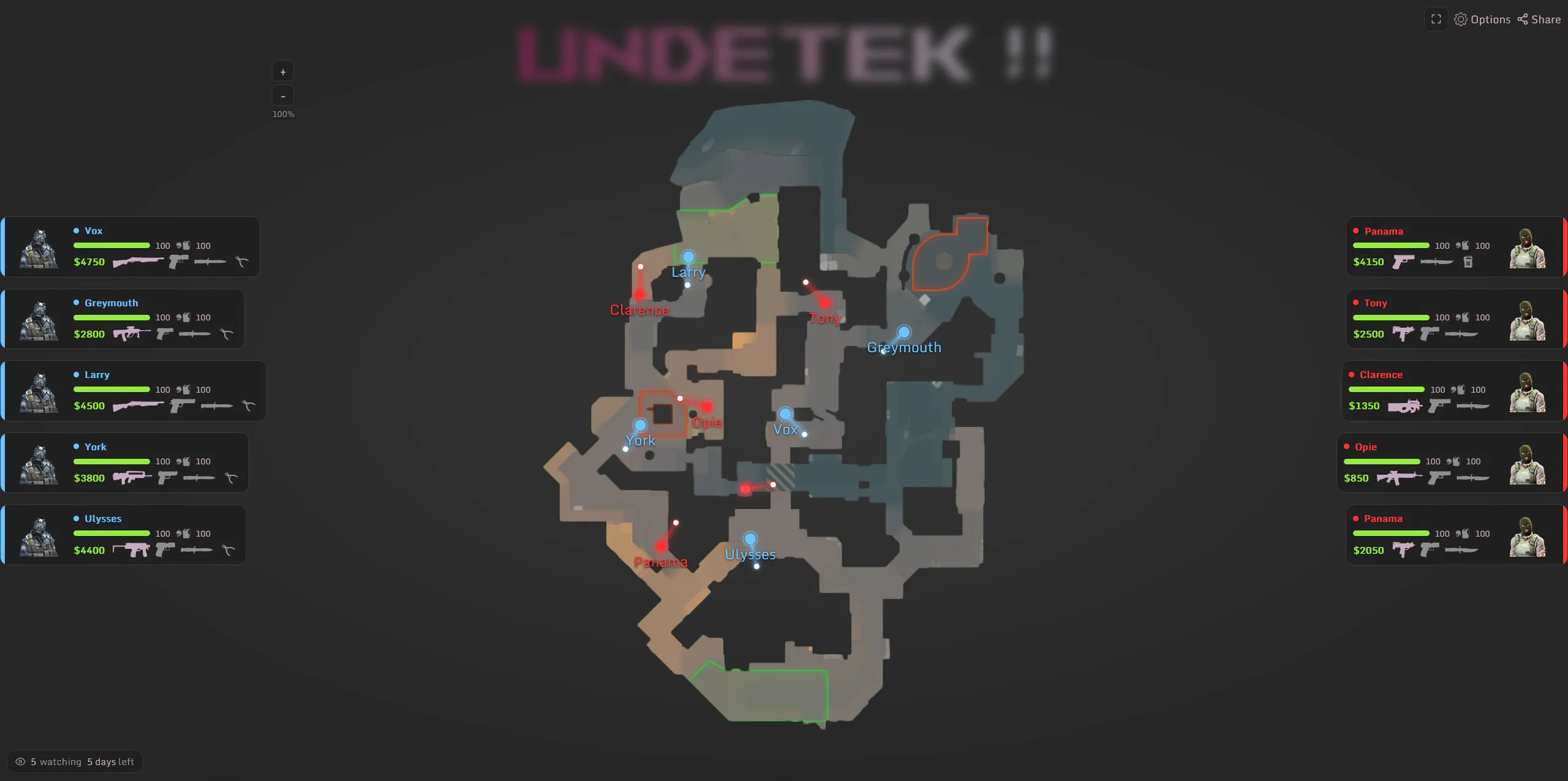
A CS2 Web Radar is a browser-based radar that displays live information from your Counter-Strike 2 match on an interactive map. Instead of showing the radar directly inside the game, you can open it through a web browser on a second monitor, laptop, tablet or phone.
The Undetek CS2 Web Radar shows real-time player positions along with useful match information including health, weapons, money and bomb status.
Your radar can also be shared with friends, allowing multiple people to view the same live match information from their own devices.
CS2 Web Radar Features
Real-Time Player Positions
See player locations update live on the CS2 map, giving you a clear view of where enemies and teammates are positioned throughout the match.
Share Your Radar
Share your live radar with friends so they can view the same match information from their own browser and device.
Player Names
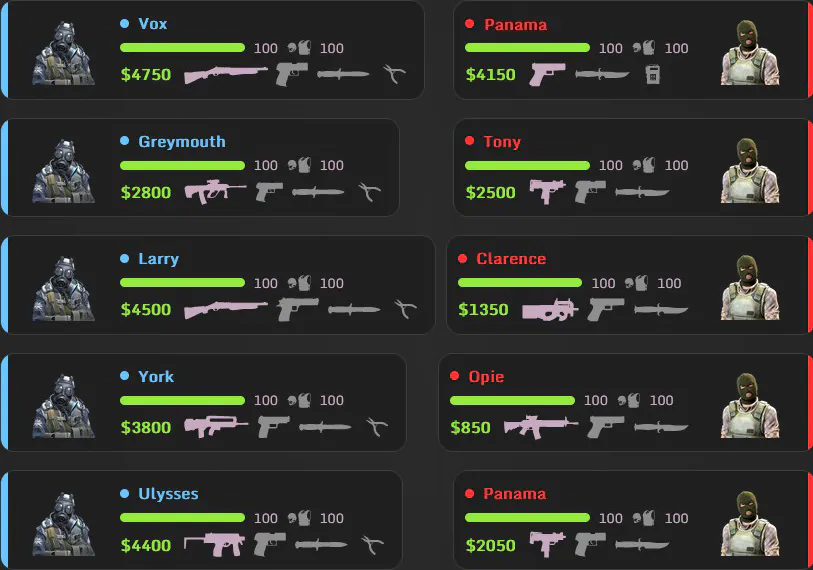
Identify players instantly with names displayed directly on the radar, making it easier to track specific enemies and teammates.
Health & Armour
View each player’s current health and armour in real time, helping you quickly see which players are weak, damaged or fully equipped.
Current Weapons
See the weapon each player is currently carrying, allowing you to identify rifles, pistols, snipers and other equipment directly from the radar.
Player Money
Keep track of player money during the match and get a better idea of the equipment and weapons they may be able to purchase in upcoming rounds.
Bomb Status
Quickly see who is carrying the bomb and track its status throughout the round, including when it has been dropped or moved.
Alive & Dead Status
Clearly distinguish between players who are still alive and those who have been eliminated as the round progresses.
Multi-Level Map Support
Radar information is displayed correctly across maps with multiple floors and vertical areas, making player locations easier to understand.
Real-Time Movement & Direction
Player positions and direction update continuously, giving you a live view of movement across the map rather than static location markers.
Use Your Radar on Any Browser or Device

Mobile Phone
Open your CS2 Web Radar on your phone and keep live match information beside you without taking up space on your main screen.

Tablet
Use a tablet as a dedicated radar display, giving you a larger, clear view of player positions and match information while you play.

Desktop & Laptop
Open the radar on a second PC, laptop or monitor for a full-size view that stays separate from your Counter-Strike 2 game.
How to Download & Set Up the CS2 Web Radar
1
Purchase the Web Radar
Purchase access to the Undetek CS2 Web Radar and complete your order to get started.
2
Download the Radar Client
Download the latest Web Radar client after completing your purchase.
3
Launch Counter-Strike 2
Start Counter-Strike 2 as normal and join the match you want to use the radar with.
4
Run the Web Radar Client
Open the Undetek Web Radar client on your gaming PC and follow the on-screen instructions.
5
Open Your Radar Link
Open your generated radar link in a browser on your phone, tablet, laptop, second PC or another screen.
6
View the Live Radar
Your browser will display live player positions, health, weapons, money, bomb information and other supported match data.
7
Share With Friends
Share your radar link with friends so they can view the same live radar from their own browser.
Download CS2 Web Radar Upgrade to Unlimited Radar AccessGallery
CS2 Web Radar Reviews
See what real users think of the Undetek CS2 Web Radar, from setup and ease of use to live radar performance across phones, tablets and PCs.
Brand new Software
reviews coming soon!
Upgrade to Unlimited Web Radar Access
Want unrestricted access to the CS2 Web Radar? Upgrade in minutes and use the radar whenever you play, with full access to all supported features and devices.
Frequently Asked Questions
Is the CS2 Web Radar currently undetected?
Yes. The Undetek CS2 Web Radar is currently undetected. However, no cheat can be guaranteed to remain undetected forever, so there is always some risk for the player running and injecting the radar client.
Can using a CS2 Web Radar get me banned?
There is a ban risk for the player who injects and runs the radar client if the cheat file were to become detected. Simply viewing a shared radar through your web browser does not require injection and therefore does not carry the same detection risk.
Does the CS2 Web Radar work on Premier and Competitive?
Yes. The Undetek CS2 Web Radar works with official Counter-Strike 2 Premier and Competitive matches.
Does the CS2 Web Radar work on FACEIT?
No. The Undetek CS2 Web Radar is not currently compatible with FACEIT.
Can I use the CS2 Web Radar on my phone or tablet?
Yes. Once your radar is running, you can open it through a modern web browser on your phone, tablet, laptop, second PC or another compatible device.
Do I need a second PC to use the Web Radar?
No. A second PC is not required. You can open the radar on another monitor, phone, tablet or laptop while playing Counter-Strike 2 on your main PC.
Can I share my CS2 Web Radar with friends?
Yes. Your radar can be shared with friends using your radar link, allowing them to view the same live match information from their own devices.
Do my friends need to download anything?
No. Friends viewing your shared radar do not need to download or inject the radar client. They simply open your radar link in a supported web browser.
Does the CS2 Web Radar work on every CS2 map?
The radar supports every official Counter-Strike 2 map as well as a selection of supported custom maps.
Does the CS2 Web Radar affect FPS?
No noticeable FPS impact is expected while using the Web Radar. The radar information is displayed separately through your browser rather than as an in-game overlay.
What happens when Counter-Strike 2 updates?
The Web Radar is designed to update automatically when required. If a CS2 update requires changes that cannot be delivered automatically, we aim to release an updated version as quickly as possible.
What is the difference between free and unlimited Web Radar access?
The CS2 Web Radar is free to use for your first 7 days. After the free access period ends, you will need to upgrade to continue using the radar with unlimited access.
Contact Us